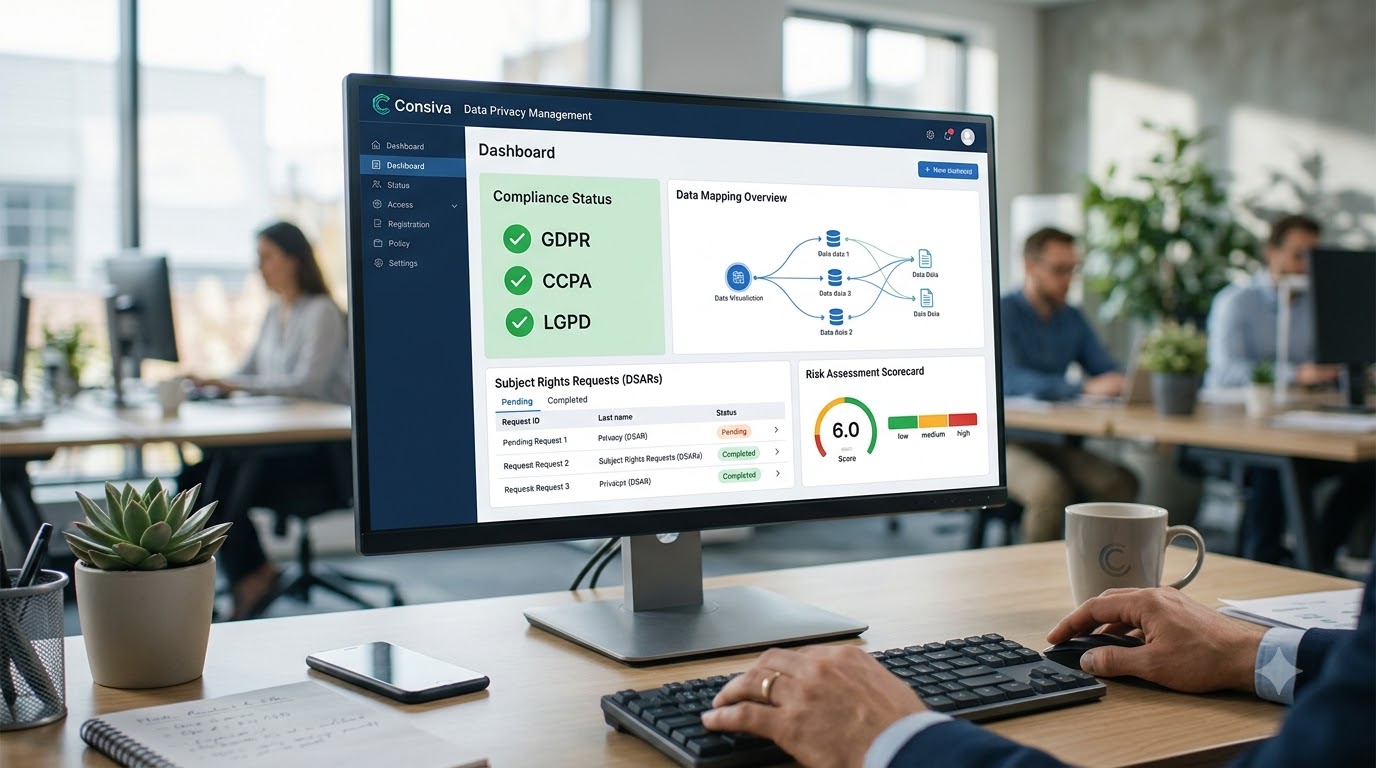
The honest way to evaluate data privacy management software isn't by reading marketing copy. It's by checking for a specific set of features that separate a genuinely capable platform from a cookie banner wearing a bigger vocabulary. Here are the ten worth actually verifying before you commit.
The ten features, one by one
1. Purpose-specific consent, not a blanket checkbox. A single "I agree" covering five different data uses doesn't meet the informed-consent bar most privacy law now sets. Look for separate, genuinely independent toggles — analytics, marketing, personalisation — each recorded on its own, with a timestamp and a version reference tying it to the exact notice the person saw.
2. An immutable, exportable consent record. Recording that consent happened isn't enough if that record can be quietly edited afterward. A proper platform keeps consent logs append-only and tamper-evident, exportable on demand, because a regulator's question is rarely "do you have a policy" — it's "show me this specific record."
3. Data principal rights automation with real SLA tracking. Access, correction, erasure, and grievance requests need to land in one trackable queue with a countdown timer, not a shared inbox where the deadline quietly passes unnoticed. Ask specifically whether escalation happens automatically before a deadline breaches, or only after someone happens to notice.
4. Breach detection with the correct regulatory clocks. This is where a lot of tools quietly fall short. Different regulatory regimes run different reporting windows, and they don't share a clock. A platform that only tracks one misses exactly the deadline most likely to catch a company off guard mid-incident. Ask a vendor directly how many separate breach clocks their system tracks, and get a specific number back, not a general assurance.
5. Database-level data discovery, not just a website scan. A cookie banner governs what happens on your site's front end. It says nothing about where personal data actually sits in your production databases. A platform that can connect to SQL Server, PostgreSQL, or MySQL and scan for personal data at rest is doing something structurally different from — and more useful than — front-end consent alone.
6. Self-updating audit documentation. A Record of Processing Activities that someone edits twice a year, from memory, right before an audit, is a liability wearing the shape of a compliance artifact. Look for a platform that generates and updates this documentation continuously from live consent and scan data instead.
7. Multi-language and multi-jurisdiction support. If your users, customers, or expansion plans cross any linguistic or national border, a platform that only speaks one regulatory language becomes a gap the moment that border gets crossed. Check specifically which languages are supported for notices, and which frameworks — not just the one you're currently focused on — the platform actually covers.
8. A live vendor and processor register. Every third party touching your users' data is a potential point of failure, and a spreadsheet nobody's updated since onboarding doesn't catch an expired agreement or a vendor whose access should've been revoked months ago. A genuine platform ties vendor contract status directly to whether that vendor still has active access.
9. Deployment that doesn't require an engineering sprint. An impressive feature list is worth little if implementing it requires weeks of developer time nobody has spare. A plugin for your CMS, a one-click app store install, or a single script tag should get basic consent live same-day — full automation can follow, but day-one deployment shouldn't be the bottleneck.
10. Consent analytics that actually help, not just report. The best platforms don't just show you an acceptance rate — they let you test banner copy, placement, and design against real data, so compliance and conversion stop being framed as permanently opposed. If a platform's analytics feature is just a static number with no way to act on it, that's a thinner version of the feature than the name suggests.
Why these ten, specifically
It's worth noticing what these ten features have in common: none of them are things a vendor can convincingly fake in a five-minute demo. A cookie banner is easy to show off. Whether the breach tracker actually runs two independent regulatory clocks, whether the audit trail is genuinely append-only, whether data discovery reaches your actual databases rather than stopping at your homepage — these only reveal themselves under a slightly harder question than "does it have a consent banner."
That's deliberate. The gap between vendors in this category isn't in the features they list. It's in whether each listed feature is genuinely built out, or exists mostly as a bullet point that sounds complete.
Feature checklist: what to ask, and what a real "yes" looks like
| Feature | Weak Signal | Strong Signal |
|---|---|---|
| Consent management | "We have a cookie banner" | Purpose-specific, versioned, immutable records |
| Rights automation | "Requests come to an inbox" | Tracked queue, auto-escalation before SLA breach |
| Breach tracking | "We notify on breaches" | Names the specific regulatory clocks tracked, and how many |
| Data discovery | "We handle your data" | Connects to named databases, scans for PII at rest |
| Audit documentation | "We can generate a report" | ROPA updates automatically from live data |
| Vendor tracking | "Add vendors manually" | Live register tied to actual access status |
| Deployment | "Our team will scope this" | Plugin or script tag, live same-day |
Illustrative comparison based on how vendors in this category typically respond to specific questions, not a specific client dataset.
How to actually run this evaluation
Don't ask a vendor "do you have consent management" — every vendor says yes. Ask instead: how many independent breach-reporting clocks does your system track, and name them. Ask: which specific databases can Data Discovery connect to. Ask: what happens to a rights request on day nine of a ten-day window if nobody's manually checked it. The specificity of the answer tells you more than the answer itself.
It's also worth checking whether a platform was actually built for the regulatory framework you operate under, or retrofitted from a different one. A tool built primarily for GDPR, for instance, often has no real slot for a second, independent breach clock — because GDPR itself doesn't require tracking two — which is exactly the kind of gap that only shows up once you ask the pointed version of the question rather than the general one.
See which of these ten Consiva actually covers
Consent, rights automation, dual-clock breach tracking, database-level Data Discovery, and self-generating ROPA — live, free to start.
Start Free on Consiva.ai — No Credit Card →If you're running this checklist against a real evaluation, Consiva's platform walkthrough covers each of these ten areas directly — consent, rights automation, dual-clock breach tracking, database-level Data Discovery, and self-generating ROPA documentation, among others — and the pricing page breaks down which of these sit in the free tier versus which require Pro or Enterprise, so you can see exactly where the gaps in a "free forever" pitch typically are.
A feature list is easy to write. What actually separates data privacy management software worth paying for is whether each item on that list survives a specific, pointed question — not whether it appears on the page at all.
Frequently Asked Questions
Dual-clock breach tracking, most consistently. Many tools handle one regulatory notification window well and simply don't have a second, independent clock built in — which only becomes visible once an actual incident hits both deadlines at once.
Consent management, rights automation, and basic breach tracking matter regardless of size. Database-level data discovery and multi-jurisdiction support become more relevant as a business grows its data footprint or customer base across regions.
Ask specific, technical questions rather than general ones — how many breach clocks, which databases for discovery, what triggers rights-request escalation. Vague or deflected answers to specific questions are a clearer signal than anything on the features page.
Typically, a free tier covers basic consent management and manual rights handling, while automated workflows, dual-clock breach tracking, and database-level data discovery sit in paid tiers. Worth checking a pricing page directly rather than assuming.
Start Free — No Credit Card
One domain, 1,000 cookie consents a month, unmetered rights requests, no expiry.